















LSA Answering Phones – Best Practices to Earn More Credits
If you want Google to recognize high-quality Local Services Ads (LSA) calls and apply more credits when a call is not a valid lead, everything starts with how the phone is answered.
Google evaluates call intent and relevance almost immediately with AI. The actions your team takes in the first 30 seconds of a call are the strongest signals Google uses to determine whether a call should be charged, credited, or not billed at all.
By training your staff to qualify calls quickly and correctly, you improve:
-
Lead quality
-
Credit approval rates
-
Overall LSA performance and ROI
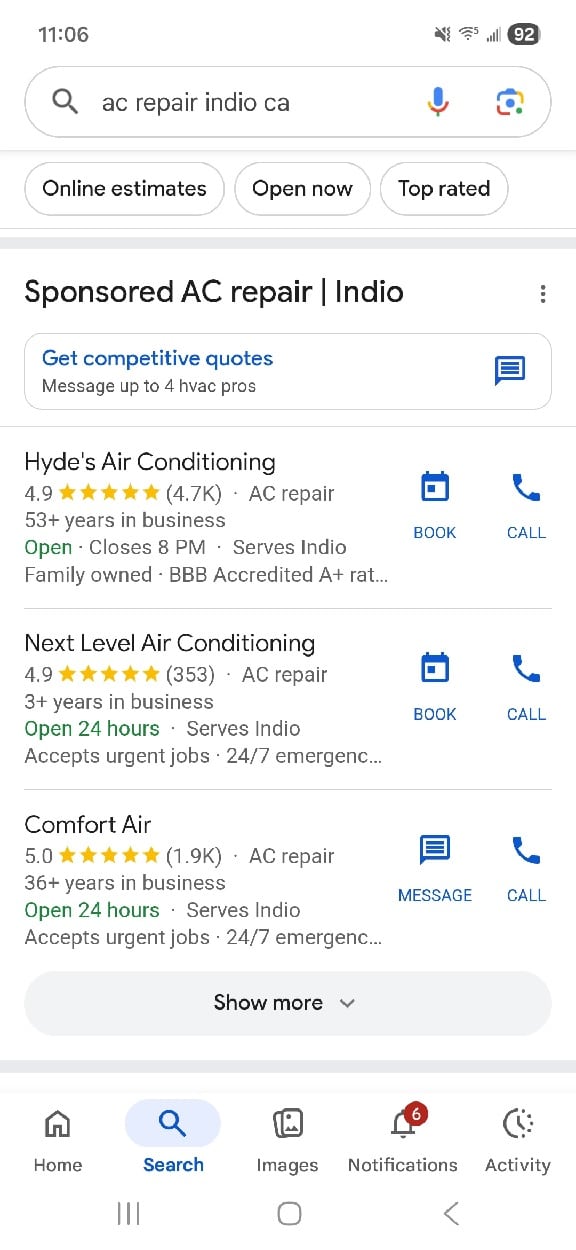
The First 30 Seconds Matter Most
The opening of the call is where Google determines:
-
Is this a new sales opportunity?
-
Or an existing customer / non-lead?
Clear intent qualification, professional tone, and efficient handling during this window make the difference between a charge and a credit. So how you and your staff answers the phone makes a huge difference.
Questions to Ask Immediately (Qualification Signals)
These questions help establish whether the caller is a qualified new lead or it should be credited or not charged:
-
“Are you a current customer with us?”
-
If CRM lookup is available – “I see you’re an existing customer…”
-
“Have we serviced your home before, or is this a brand-new inquiry?”
-
“Are you calling to reschedule an existing appointment?”
-
“Is this about the technician who was out yesterday?”
These should be asked within the first 30 seconds whenever possible.
The faster the call is clearly qualified, the stronger the signal to Google that the interaction was not a billable lead.
Avoid These New-Lead Signals
These phrases strongly imply a new lead opportunity and increase the likelihood of being charged:
- “What service are you looking for?”
-
“Let me get your address.”
We understand the instinct to sound welcoming and default to “How can I help?” because it feels polite and professional. However, opening a call this way can immediately signal to Google that the call is a brand-new lead, even when it may not be.
To protect lead quality and improve attribution, avoid this phrasing during the initial greeting and instead use a more controlled, qualifying opening.
Use These Instead (Existing / Non-Lead Signals)
-
“Are you a current customer?”
-
“Let me check your service history.”
-
“Is this regarding your scheduled appointment?”
-
“I’m pulling up your account in our system now.”
These statements clearly communicate existing relationship or non-sales intent to Google.
Operational Best Practices (Critical for Winning Disputes)
1. Keep It Brief
If the caller is an existing customer, do not allow the call to run long.
-
Calls over 3+ minutes are harder to dispute
-
Longer calls look more like consultations or sales calls to Google
Short, efficient handling strengthens your case that no new lead occurred. If they are a current customer ask if you can call them right back (because you may have to potentially pay for this lead).
2. The “Wrong Service” Protocol
If a caller requests a service you do not offer, staff must clearly state:
“I’m sorry, we do not provide [service]. We only provide [your actual services].”
This creates a clear “Job Type Not Serviced” dispute and rating category in your LSA dashboard.
How to Dispute LSA Charges Successfully
When Rating a Call in your LSA dashboard, do not simply select “Existing Customer.”
Always add specific notes referencing the call details and timing:
Example:
“Caller identified as a repeat customer at the 0:12 mark. They were calling to reschedule a maintenance visit from last Tuesday. No new lead generated.”
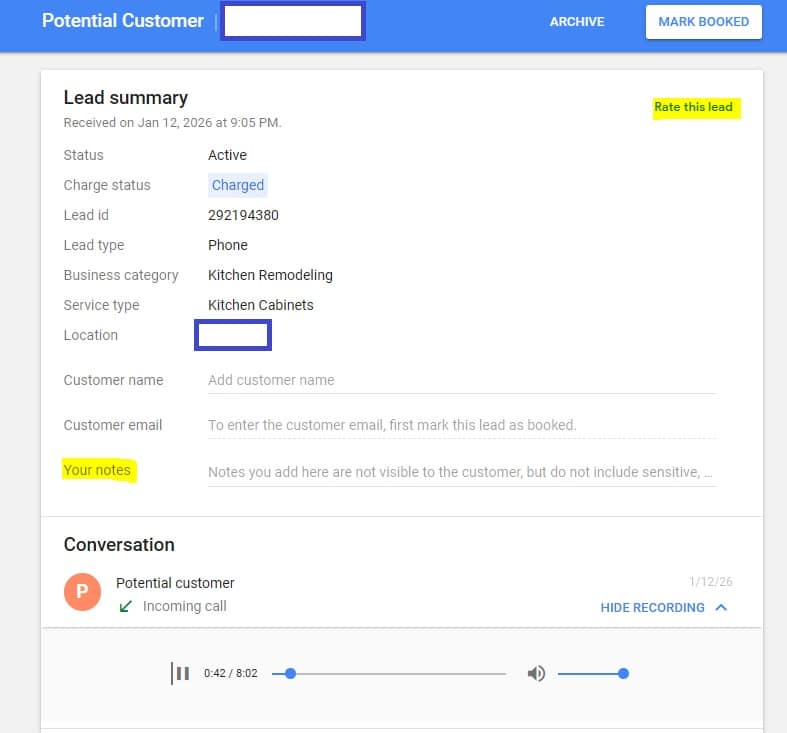
Specific timestamps and intent references significantly increase credit approval rates.
Get Better Leads By Rating Your LSA Calls Consistently
Your staff should be actively rating:
-
Bad leads
-
Wrong service calls
-
Existing customer calls
-
Even strong, valid leads (you should get more of these leads if you rate them high)
Consistent call ratings help Google better understand what your business considers qualified, improving lead quality over time.
Looking for Help with Your LSA Calls?
If you have questions about training your team, disputing charges, or improving LSA performance overall, give LeadsNearby a call at 919-758-8420 to schedule a free audit or contact us online with any questions.
Related Information
Why Google Is Pushing Get Pricing and Online Estimates » « What is the Google Local 3-Pack?